A practical guide to choosing pages and features
By Cain, website designer and developer
At a minimum, a small business website should explain what the business does, show visitors how to get in touch, and make the next step clear. A service business can start with Home, Services, About, and Contact pages. Add online booking or payments when customers need to complete those tasks on the site.
The right page list depends on what you sell and how customers choose you. Start with the questions a first-time visitor needs answered before they call, book, visit, or buy.
Which pages does a small business website need
A simple service business can often cover the basics with a small set of pages. Some businesses can put several sections on one page; others need separate pages because they offer different services or have more detail to explain.
- Home: Say what the business does, who it serves, and what visitors can do next.
- Services or products: Explain what is included, who each offer suits, and where the business serves customers. Add separate pages when an offer needs its own explanation.
- About: Introduce the people behind the business and share relevant experience, qualifications, or how the work is handled.
- Contact: Provide current ways to reach you, such as a phone number, email, location, opening hours, or a short inquiry form, depending on the business.
- Policies or frequently asked questions: Add the information customers need about privacy, bookings, cancellations, returns, or other terms that apply to the service.
Explain what customers get
Describe the work in language your customers use. A visitor should be able to tell what is included, what they need to provide, and what happens after they get in touch. If you offer several services, make the differences clear instead of making visitors guess from a list of names.
When prices are fixed, showing them can answer an important question early. For custom work, explain what affects the quote and how to request one. You can give a starting price or range when it is accurate for the projects you accept.
Make contact and booking straightforward
Choose the main action that fits the business. It may be a phone call, an inquiry, a visit, an appointment, or a purchase. Put that option where people can find it, and make sure the phone number, email, address, service area, and hours are correct.
A contact form should ask only for details you need to reply. Label the fields clearly and tell visitors what happens after they submit it. If customers book or pay online, test the full process and explain any steps they need to take.
On the Beham Clinic project, I built the public website and an appointment system. Parents can choose an available doctor and book a checkup; clinic staff can review, accept, or cancel bookings. See the Beham Clinic case study for how the two fit together.
Show proof visitors can check
Use examples that help a visitor judge the work: project photos, a short case study, relevant qualifications, or genuine customer feedback. Ask permission before publishing a customer’s words or images. When you describe a project, say what you did and what the site lets people do. Leave out business results unless you have measured them.
Make the site work on phones
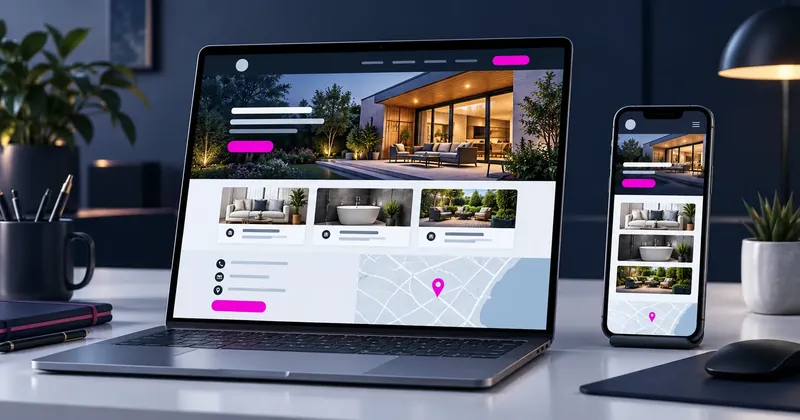
Test every page on a phone and a computer. Text should be readable, menus easy to use, and forms or booking steps should fit the screen. Responsive design lets a page adapt to the available screen size [4].
Accessibility helps people use the site in different ways. Add text alternatives to meaningful images, use clear headings, and make controls and form fields understandable. WCAG offers detailed guidance on accessible content [5], and W3C recommends visible labels that help people understand what information a form expects [6].
Help people find the right page
Give each page a clear title and a main heading that accurately describe its content. Google can draw search result title links from several places, including the page title and visible headings, so keep them consistent [1]. Use descriptive links such as “view appointment options” instead of “click here.”
For a local business, include accurate location or service-area details and contact information. Google recommends HTTPS for user and site security [7]. Keep the information current when hours, services, or contact details change.
Google also says there is no ideal word count and its systems can understand related wording without every variation appearing on the page [2]. For its AI search features, Google recommends useful, original content and the usual SEO foundations [3].
Choose extra features for a reason
An online store, booking calendar, menu, portfolio, or multilingual pages can help when they support something customers actually need to do. Before adding a feature, consider who will maintain it and whether the business can keep the information accurate. A feature that no one updates can confuse customers.
Check the site before launch
- A new visitor can tell what the business offers and who it serves.
- Each service or product has a clear, accurate description.
- The main way to contact, book, visit, or buy is easy to find.
- Forms, booking steps, and checkout work from start to finish.
- Pages are readable on a phone, and the contact details are current.
- Reviews, project examples, prices, and claims are accurate and approved for use.
- Privacy notices and other policies reflect the information collected and rules that apply to the business.
Privacy rules vary by location, audience, and the information a site collects. For example, U.S. COPPA requirements cover certain sites and services that collect personal information from children under 13, including some general-audience services with actual knowledge they do so [8]. Check the rules that apply to your business before collecting personal information.
Plan the site around your customers
Before you request a quote, write down your main offer, the questions customers ask, and the action you want them to take. That gives you a practical starting point for choosing pages and features. If you are planning a new site or redesign, see my business website design and redesign service. Read more practical website articles.
Sources and further reading
- 1. Google Search Central, Influencing title links
- 2. Google Search Central, SEO Starter Guide
- 3. Google Search Central, Generative AI features guide
- 4. MDN, Responsive web design
- 5. W3C, Web Content Accessibility Guidelines 2.2
- 6. W3C Web Accessibility Initiative, Labeling Controls
- 7. Google Search Central, Technical SEO guidance
- 8. Federal Trade Commission, COPPA compliance guidance
Read this article in Arabic: ما الذي ينبغي أن يتضمنه موقع النشاط التجاري الصغير؟