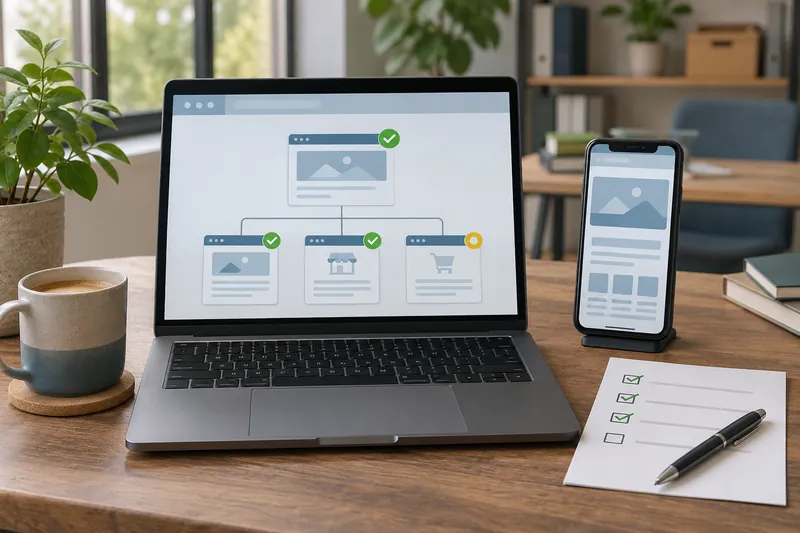
For a small business website, I would start technical SEO work by checking whether customers and search engines can reach the pages that matter. A public service page accidentally hidden from Google deserves attention before a minor warning on a page nobody needs to find through search.
I would fix access and indexing problems on important pages first, repair the routes to those pages, then investigate mobile and loading issues. Other work, including structured data, depends on what the site offers and what the checks reveal.
What technical SEO does for a small business
Crawling is how a search engine fetches pages. Indexing is how it processes information about them for possible use in search results. Technical SEO addresses the website setup that helps those processes work.
Google’s minimum technical requirements include allowing Googlebot access, serving a working page with an HTTP 200 success response, and having indexable content. Meeting those requirements makes a page eligible for indexing; it does not guarantee indexing or a particular position in search [1].
A technically accessible page still needs useful information that fits what someone is looking for. My guide to SEO and GEO for small businesses explains how those foundations fit into search visibility more broadly.
Start with the pages your customers depend on
Make a short list of the pages you would be concerned to lose: your homepage, main services or products, and the pages people use to contact you, request a quote, or book. Include any article that helps customers understand a service before they inquire.
For each page, write down its address and what a visitor should be able to do there. Open it while logged out, then follow the route a customer would take from your homepage. This gives you a manageable starting point and can expose a missing link or an unexpected login screen.
Decide which pages belong in public search results. A public service description and a customer’s private account have different purposes. Protecting account information takes priority over making that information discoverable.
Fix access and indexing blockers first
For an important public page, check whether it opens normally, shows the expected content, and allows indexing. A server error needs investigation even if the page looked fine the last time you visited.
In Google Search Console, inspect the exact address with URL Inspection. Compare the stored indexing information with a live test of the current page. Passing the live test does not confirm indexing [2]. Save the reported reason and the date before making changes.
An accidental noindex instruction can keep a public page out of search. It may come from a page setting, an SEO plugin, or a response header. Ask whoever maintains the site to check where the instruction originates. Google must be able to crawl a page to see and apply its noindex instruction [3].
The robots.txt file controls crawler access. Blocking a URL there can prevent Google from reading its content, while the address itself may still appear in search if Google discovers it elsewhere. It is not a substitute for access controls on private information [4].
Investigate an unexpected block on a service page promptly, and keep a deliberate exclusion when it fits the page’s purpose.
Help people and Google reach the right URLs
Repair broken links and use redirects where they fit
Click the links in your navigation and on the important pages you listed. If a current link leads to an error, correct the link or restore the page, depending on what should exist.
When a page has permanently moved, a permanent server redirect, such as a 301, can send visitors and Google to its new address [5]. Update your own links to use the destination directly, too.
A 404 means the requested page was not found. It can be the appropriate response for content you removed without a genuine replacement. Google advises against blindly redirecting missing pages to the homepage or an unrelated page [6].
Keep preferred addresses consistent
Check that your important links use the intended HTTPS addresses. If the same content is available through several URLs, ask your developer to review the preferred version and whether redirects or canonical settings agree with it.
A canonical annotation tells Google which version of duplicate or very similar content you prefer. Google treats it as a signal when choosing a representative URL [7]. A warning about a duplicate URL needs context: an expected alternate version and an important page pointing to the wrong canonical are different findings.
Check internal links and the sitemap together
Important pages should be reachable through navigation or relevant links from other pages. Use link text that tells the visitor what they will find, such as the name of a service.
A sitemap helps search engines discover URLs, but it does not guarantee crawling or indexing. Your website platform may already generate one [8]. Check which sitemap the site uses and whether it reflects the public pages you intend people to find. Keep those pages connected through ordinary internal links as well.
Improve the mobile experience and loading performance
Open your important pages on a phone. Read the service information, use the menu, and try the contact or booking route. Note anything that shifts while you tap, takes too long to respond, or hides information available on desktop. Google uses the mobile version of a site’s content for indexing and ranking [9].
Core Web Vitals measure loading performance, responsiveness, and visual stability. Their names are LCP, INP, and CLS respectively [10]. You can use those labels when discussing a report without needing to diagnose every technical cause yourself.
PageSpeed Insights shows data from real visits, when available, and a simulated Lighthouse test. Missing visitor data on a small or new site does not establish whether it is fast or slow [11].
Use the diagnostics to choose a specific change. If a report identifies a large image as a loading problem, check its dimensions and compression. If it identifies slow interactions, ask which scripts or components need investigation. I would prioritize a delay that prevents someone using a main service page over a small score improvement with no clear effect on the visit.
Use structured data where it fits the page
Structured data is markup that describes information on a page in a format search engines can interpret. The appropriate type depends on the content, such as a product listing or business information.
It should represent accurate, current information visitors can see. Google does not guarantee a rich result even when markup passes its testing tool [12].
Before adding more markup, check what your platform or existing SEO plugin already supplies. Resolve the page’s access problems, then review the structured data that fits its content and intended search appearance.
Choose the next fix by its effect on the business
Consider a hypothetical small service business with an accidentally excluded service page, an oversized homepage image, and an account page deliberately kept out of search.
Assume the homepage still works and customers can use its contact links. I would use this order:
| Finding | Likely business impact | First check | Who handles it | Priority in this example |
|---|---|---|---|---|
A main service page has an accidental noindex | The instruction tells Google to exclude a page customers need | Confirm the intended visibility and the source of noindex | Owner confirms the purpose; site maintainer fixes the setting | First |
| The homepage image is delaying loading | Visitors wait for an important part of the page | Check the performance report and the image being delivered | Owner can review the image; developer checks delivery and layout | Next |
| An account page is intentionally excluded | Exclusion fits its purpose; private content still needs access controls | Confirm the exclusion is deliberate and private information requires authentication | Owner and site maintainer | Keep the intended setup |
A severe problem that stops customers reaching any service page would change that order. Priorities depend on the affected page and what is failing. Ask for that explanation when an audit flags dozens of items.
Give your developer a finding they can investigate
For each issue you hand over, include:
- The exact URL and what the page is meant to do.
- What happened, where you tested it, and when.
- A screenshot or the relevant report message.
- The change you need and how you will confirm it worked.
“This service page should be public, but URL Inspection reports noindex” gives your developer a useful starting point. “Fix the SEO” leaves the actual problem undefined.
Verify the change before judging the outcome
After a fix, revisit the affected URL and repeat the check that exposed the issue. For indexing work, repeat the live test and review Google’s stored information after recrawling [2].
For loading work, repeat the diagnostic under comparable conditions and check the page on a phone. Real visitor data in PageSpeed covers a rolling 28-day period, so it will not immediately reflect only the updated page [11].
Keep a record of the change and follow the affected pages’ search performance and customer inquiries over time. A successful technical repair confirms that problem was addressed; any later traffic change needs its own assessment. My small business website maintenance guide covers the ongoing checks after launch.
If you need help deciding which website improvements belong first in your project, tell me about your site and the problem you want to solve.
Sources
- Google Search Central: Google Search technical requirements
- Google Search Console Help: URL Inspection tool
- Google Search Central: Block search indexing with noindex
- Google Search Central: Introduction to robots.txt
- Google Search Central: Redirects and Google Search
- Google SEO office hours, August 2024: Handling 404 pages
- Google Search Central: How to specify a canonical URL
- Google Search Central: Learn about sitemaps
- Google Search Central: Mobile site and mobile-first indexing best practices
- Google Search Central: Understanding Core Web Vitals
- Google for Developers: About PageSpeed Insights
- Google Search Central: General structured data guidelines
Read this article in Arabic: السيو التقني للمشاريع الصغيرة: ما الذي ينبغي إصلاحه أولاً؟